TopScan
TopDonTools
3.1305.00 Reviews
- Version
- 6.40.100
- Installs
- 100.00K
- Age Rating
- Everyone
Screenshots
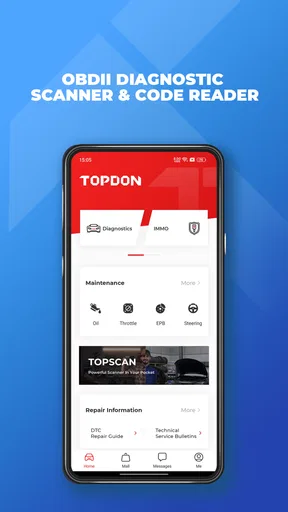
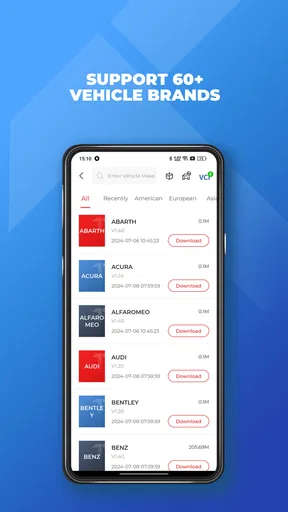
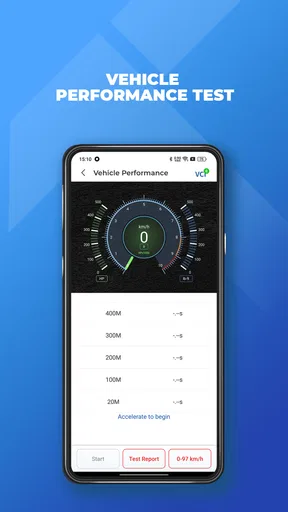
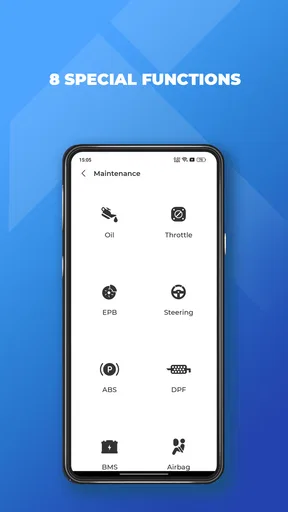
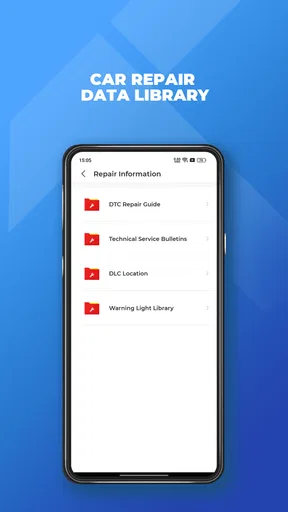
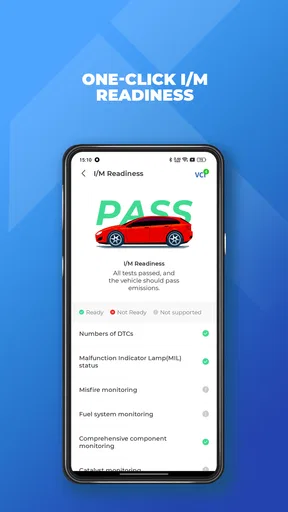
Our Review of TopScan
 Analysis by Appyee
Before choosing any diagnostic tool, I’d start with a practical question: what do I need to know about the car, and what will I do with the answer? TopScan is a phone-based option for drivers who want to investigate warning lights and scan vehicle information themselves. It sits in the tools category, is developed by TopDon HK, and is free to install, with optional in-app purchases ranging from $0.99 to $179.99 per item. That makes it easy to try, but I’d still check the costs and capabilities that matter to me before relying on it for a regular maintenance routine.
Getting Started with TopScan
First things first, let's talk about the setup. Downloading TopScan is a breeze, whether you’re on Android or iOS. A quick tap, and you're in. The app greets you with a clean, user-friendly interface, which is always a plus in my book. No one wants to wrestle with complicated menus.
Once you're in, the app walks you through its features with a handy tutorial. Even if you're not tech-savvy, you'll find yourself navigating it like a pro in no time. The tutorial is detailed enough to get you started but not so long that you lose interest. Sweet spot, right?
A sensible first scan routine
I would treat the first session as a baseline, not a race to clear a warning. Start with the car parked safely, identify the right vehicle in the app, and follow its connection prompts with the diagnostic hardware you intend to use. The phone is only one part of an OBDII setup; compatibility between the vehicle, adapter, and app matters. If a scan fails, I’d check those pieces and the connection before assuming the car has no codes.
When a warning light appears, I find it useful to record the code and the circumstances before changing anything: whether the engine was cold, whether the light was steady or flashing, and whether the car felt different. That small habit gives a mechanic more context later and helps me compare a fresh scan with an earlier one. A code is a clue, not a complete diagnosis, so I wouldn’t treat a short description as proof that one particular part needs replacing.
The practical everyday case is a dashboard light on the way home. Rather than guessing from a search result or ignoring it, I can pull over somewhere safe, check the vehicle when appropriate, and use a scan to decide whether the next step is arranging service or asking a qualified technician what the code means. If the car is running badly, the warning is urgent, or I’m unsure whether it is safe to drive, the app should not replace professional help.
Features That Stand Out
What really sets TopScan apart is its suite of features designed for enhancing and preserving your photos. Here's a quick rundown:
- Photo Restoration: Got an old, faded picture? TopScan has a nifty tool that can restore vibrancy and detail to your cherished memories.
- Color Correction: The app’s color correction tool is a game-changer. It automatically adjusts colors to make your photos pop.
- Background Removal: Ever wished you could remove that photo-bomber from your favorite pic? TopScan’s got you covered with a simple yet effective background removal feature.
- Filters and Effects: With an array of filters and effects, you can give your photos a fresh, modern look in just a few taps.
The app also supports batch processing, which is perfect if you’re looking to edit multiple images quickly. It’s a huge time-saver, especially when you’re dealing with a large collection.
Checking compatibility and settings
Before building a routine around it, I’d confirm that the phone itself is supported. The current version is 6.20.004, and the Android minimum is 7.0; importantly, the app cannot support 32-bit cell phones. A phone that meets the operating-system requirement may still be unsuitable if it is 32-bit, so checking the device type first can save a frustrating install or setup attempt.
I’d also make sure I understand the app’s prompts and the connection steps for the specific adapter and car, rather than assuming every vehicle behaves identically. OBDII access is useful, but the information available can depend on the car and the equipment in use. If the app shows a result I don’t understand, I’d keep the exact code and look for a reliable explanation instead of making a repair decision from a vague label.
One experienced-user habit is to keep a simple vehicle log outside the scan screen: date, mileage if known, code, symptoms, and what happened next. That turns separate checks into a useful history. It also makes it easier to tell whether a code is new or recurring, without assuming the app itself stores or organizes that history in a particular way.
Performance and Usability
Performance-wise, TopScan runs smoothly on both Android and iOS. I tested it on a mid-range Android phone, and it handled even the most complex edits without a hitch. The app is responsive, and I didn’t experience any crashes or lags, which is a big thumbs up.
The usability aspect is one of TopScan’s strongest points. The developers have clearly put a lot of thought into making the app intuitive. Everything is where you expect it to be, and I never found myself digging through menus to find a feature. It’s designed with the user in mind, and it shows.
Using scan results without overreading them
A useful shortcut is to scan before a service visit and bring the code along, rather than arriving with only “the warning light came on.” I’d describe the symptoms in plain language too: when they began, whether they come and go, and whether anything changed after restarting the vehicle. This makes the scan a conversation starter, not an attempt to tell a mechanic how to repair the car.
I’d be careful about clearing codes simply to turn off a dashboard light. Clearing can remove information that would help with diagnosis, and it does not fix the reason the warning appeared. If I’m checking whether a repair resolved an issue, I’d first make sure the repair has actually been completed and then follow appropriate guidance for checking again. For a safety-related warning or a car that behaves abnormally, I’d put the vehicle and a professional assessment ahead of experimenting in the app.
Against the usual alternatives, TopScan’s appeal is convenience: a phone can be easier to carry and revisit than a basic handheld reader, while a simple code reader may suit someone who only wants a quick check and does not need an app-based workflow. A repair shop is the better choice when the problem needs hands-on testing, specialist knowledge, or a safety judgement. I see this app as a way to become better informed between visits, not a substitute for the workshop or a guarantee of a complete diagnosis.
Who it suits, and where I’d draw the line
I’d recommend considering it if you like to understand what a warning might indicate, want to arrive at a garage with more useful details, or look after a car and prefer to keep track of recurring concerns. It can also suit a curious driver who is willing to learn that diagnostic codes describe detected conditions rather than automatically naming a failed component.
I’d skip it if I wanted a guaranteed fix from a single scan, wasn’t comfortable following setup steps, or needed a professional diagnosis immediately. It is also a poor fit for a 32-bit phone. The app is free to install, but optional purchases are part of the picture, so I’d review what a paid item actually offers before buying rather than assuming every useful function is included at no extra cost.
Its average rating is 3.2 from around 1.1 thousand ratings, with about 250 written reviews and over 100 thousand installs. I’d read those figures as a reason to set realistic expectations: people’s experiences with diagnostic apps can vary with their phone, adapter, and vehicle, so a smooth result for one setup does not guarantee the same for another. The content rating is Everyone, and the app was released on November 15, 2022.
Why You Should Give It a Try
If you’re someone who loves tinkering with photos or just wants to preserve old memories, TopScan is definitely worth checking out. The app combines powerful editing tools with a straightforward interface, making it accessible to everyone. Whether you’re a professional photographer or just someone who loves photos, you’ll find something to love here.
Moreover, the app is frequently updated, meaning you’re always getting the latest features and improvements. It’s clear the developers are committed to maintaining and enhancing the app, which is always reassuring as a user.
Final Thoughts
In a world where capturing memories is as easy as pulling out your phone, having a tool like TopScan to enhance and preserve those memories is invaluable. It’s not just about making your photos look good; it’s about making them last. So, why not give TopScan a try? Trust me, your photo library will thank you.
Ready to dive into the world of photo editing? You can download TopScan from the App Store or Google Play and start transforming your photos today!
Verdict
Strengths of TopScan
- User-friendly interface for easy navigation.
- Comprehensive scanning capabilities.
- Fast processing speed saves time.
- Supports multiple file formats.
- Secure cloud storage options available.
Limitations of TopScan
- Limited free version features.
- Occasional ads can be intrusive.
- Requires internet for some features.
- Lacks advanced editing tools.
- Subscription can be pricey.
Similar Picks in This Category
View All
Google LLC4.0

Gboard - the Google Keyboard
Google LLC4.5

Google Play services
Google LLC4.3

Google Play Store
Google LLC4.9

Files by Google
Google LLC4.5

SHAREit: Transfer, Share Files
Smart Media4U Technology Pte.Ltd.4.3
Frequently Asked Questions
What is TopScan and what does it do?
TopScan is a versatile scanning app designed for both Android and iOS devices. It allows users to quickly scan documents, receipts, and photos using their smartphone camera. The app offers features like OCR (Optical Character Recognition), image enhancement, and easy sharing options to convert scanned files into various formats.
Is TopScan free to use, or does it require a subscription?
TopScan offers a free version with basic features, which is suitable for casual users. However, for advanced features such as unlimited cloud storage, enhanced OCR capabilities, and ad-free experience, a subscription to the premium version is required. Pricing details can be found within the app's settings.
How does TopScan ensure the privacy and security of my documents?
TopScan prioritizes user privacy by employing encryption protocols to secure your scanned documents. Files are stored locally on your device by default. If you choose to use cloud storage services, ensure you are using a secure, password-protected account. The app complies with standard data protection regulations.
Can I edit scanned documents within the TopScan app?
Yes, TopScan provides basic editing tools to enhance and modify scanned documents. Users can adjust brightness, contrast, and apply filters to improve document quality. Additionally, the app offers annotation tools to add notes, signatures, or highlights directly on the scanned files.
Does TopScan integrate with other productivity apps?
TopScan offers seamless integration with popular productivity apps and cloud services like Google Drive, Dropbox, and Evernote. This allows for easy sharing and management of your scanned documents across different platforms, enhancing productivity and ensuring your files are accessible wherever you need them.
